
Need your ID scans as one PDF? The usual move is to google "images to pdf", open whatever ranks first, and upload your passport to a server you know nothing about. Then do it again on another site to compress the result. With ads everywhere.
The newer version: drop the files into an AI chatbot and ask for a PDF. Easier, but your passport still ends up on someone else's server.
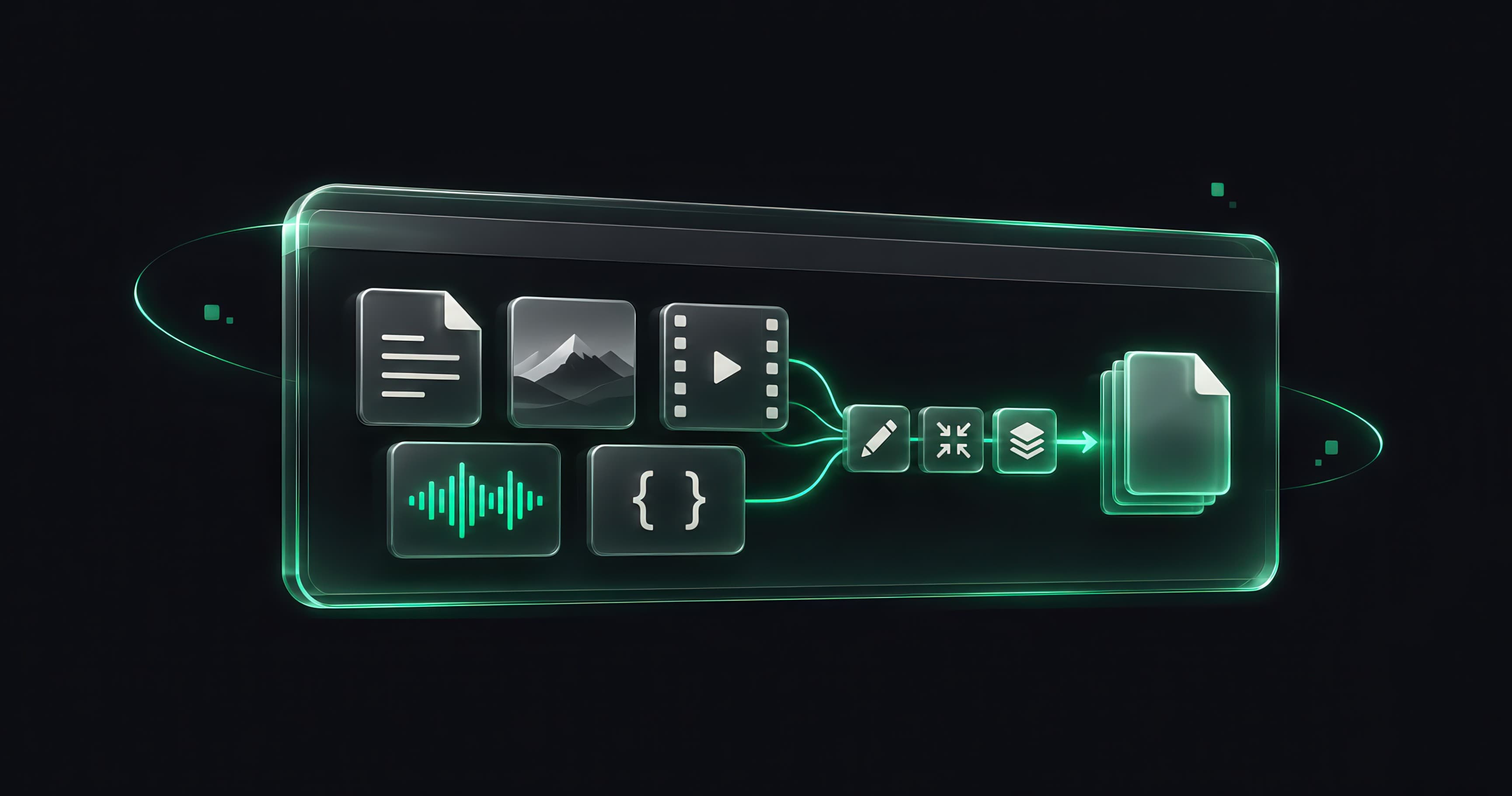
So I built JZR Tools: 42 tools in one place, and 40 of them never upload your file. The work happens inside your browser tab. It's at jzr.tools, free, with no signup, no ads and no watermark, in English, Russian and Uzbek. I built it alone, as part of this site.
Where your file goes#
 View
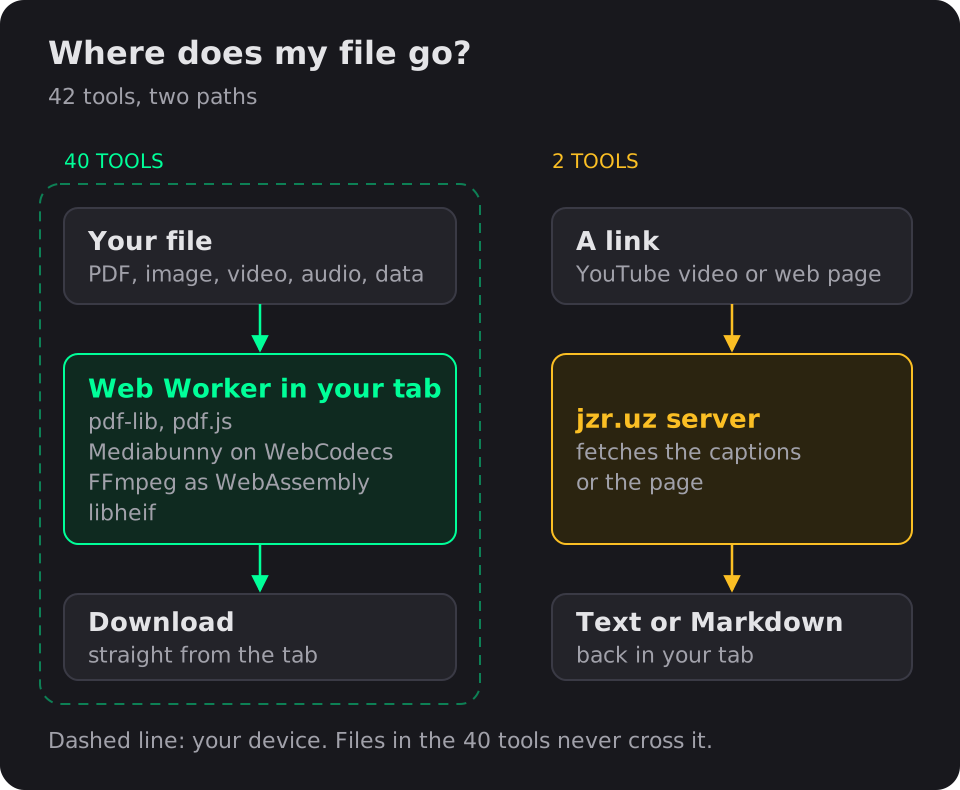
Drop a PDF into Compress PDF and nothing is sent anywhere. A Web Worker in your tab opens it with pdf-lib and pdf.js, shrinks the images, and hands the result back as a download. The worker keeps the page responsive while it runs, which matters when the file is a 200-page scan.
The two exceptions are YouTube Transcript and URL to Markdown. They take a link, not a file, and browsers won't let one site fetch another site's pages, so my server does that part.
What's there today, roughly:
- PDF: Image to PDF, Compress, Merge, Split, Organize, Sign and fill, PDF to Markdown, PDF to JPG/PNG
- Image: Compressor, Converter, Resizer, Crop, Photo Metadata, Motion Photo Extractor
- Video and audio: Video Compressor, Trimmer and Converter, Video to MP3 and GIF, Audio Trimmer, Music Tag Editor
- Code and data: Excel ↔ JSON, JSON Formatter, JWT, Hash, UUID, Base64, Diff, Cron, and more
Video in a browser tab#
Video was the hardest part and the most fun. Browsers can do far more than people expect, but not the same things in every browser.
 View
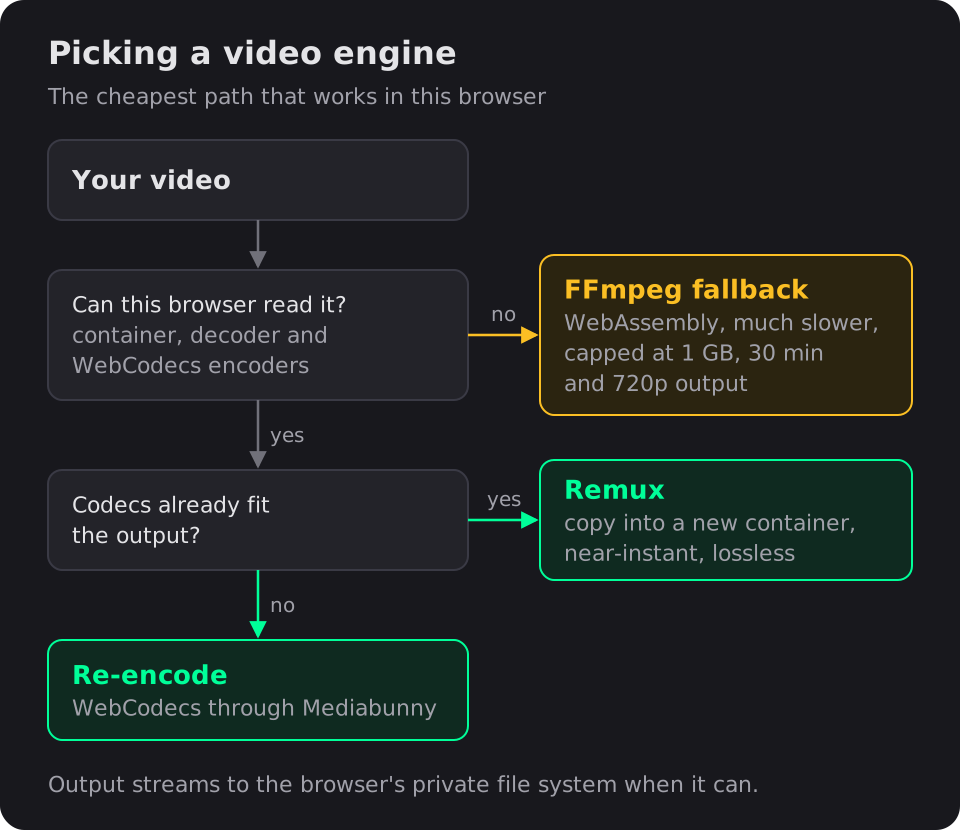
Each job picks the cheapest path that works:
- Remux. If the codecs inside your file already fit the output, the data is copied into a new container. No re-encoding, so it's near-instant and lossless. An iPhone's HEVC video can stay HEVC.
- Re-encode with WebCodecs. If the codecs don't fit, the browser's built-in encoders do the work, through a library called Mediabunny.
- FFmpeg fallback. Some files can't go either way: AVI, WMV or FLV containers, codecs the browser can't decode, or browsers with no WebCodecs encoders at all, like Firefox on Android. Those go through FFmpeg compiled to WebAssembly. It's much slower, so it's capped at 1 GB, 30 minutes and 720p, and the page tells you up front.
Output streams to the browser's private file system when it's available, so a large export doesn't have to sit in memory. On desktop the limit is 4 GB or 3 hours of video.
Photos from phones#
Take a photo of your passport on an iPhone and you get a HEIC file, which a PDF can't embed. So Image to PDF decodes HEIC with libheif in a worker, then re-encodes it: PNG if the image is lossless or transparent, JPEG otherwise. WebP, AVIF, GIF and BMP go the same way, while JPG and PNG go in untouched.
Phone cameras also make huge images, and mobile browsers fall over on huge canvases. Sources up to 25 megapixels are accepted, and HEIC images are shrunk inside the decoder worker, so the page itself never creates a canvas larger than 16 megapixels.
The Motion Photo Extractor is my favourite small one. Google and Samsung both hide a short video inside "motion" JPEGs, in different formats. I wrote a parser for both, and the tool pulls the video out.
Privacy, including mine#
A privacy tool that loads three trackers would be a joke. So the tools pages load no Google Analytics and no Yandex Metrica. I count tool usage with my own API instead: which tool was opened, the country, the referring site and the device type. Never anything about your files.
Testing it#
Media code breaks in boring ways: an odd file, a phone browser, a size limit off by one. The tools have 1,113 unit tests and Playwright browser tests that push sample files through the real pages, including a 24-megapixel HEIC. What a headless browser can't tell me, like how a mid-range Android phone copes with a huge PDF, stays on the list for real devices.
Stack#
Next.js, React, TypeScript, Web Workers · pdf-lib, pdf.js · Mediabunny on WebCodecs, FFmpeg (WebAssembly) · libheif · fflate · FastAPI for the two server tools · Playwright.
Links#
Most of these tasks never needed a server. They needed someone to stop assuming they did.