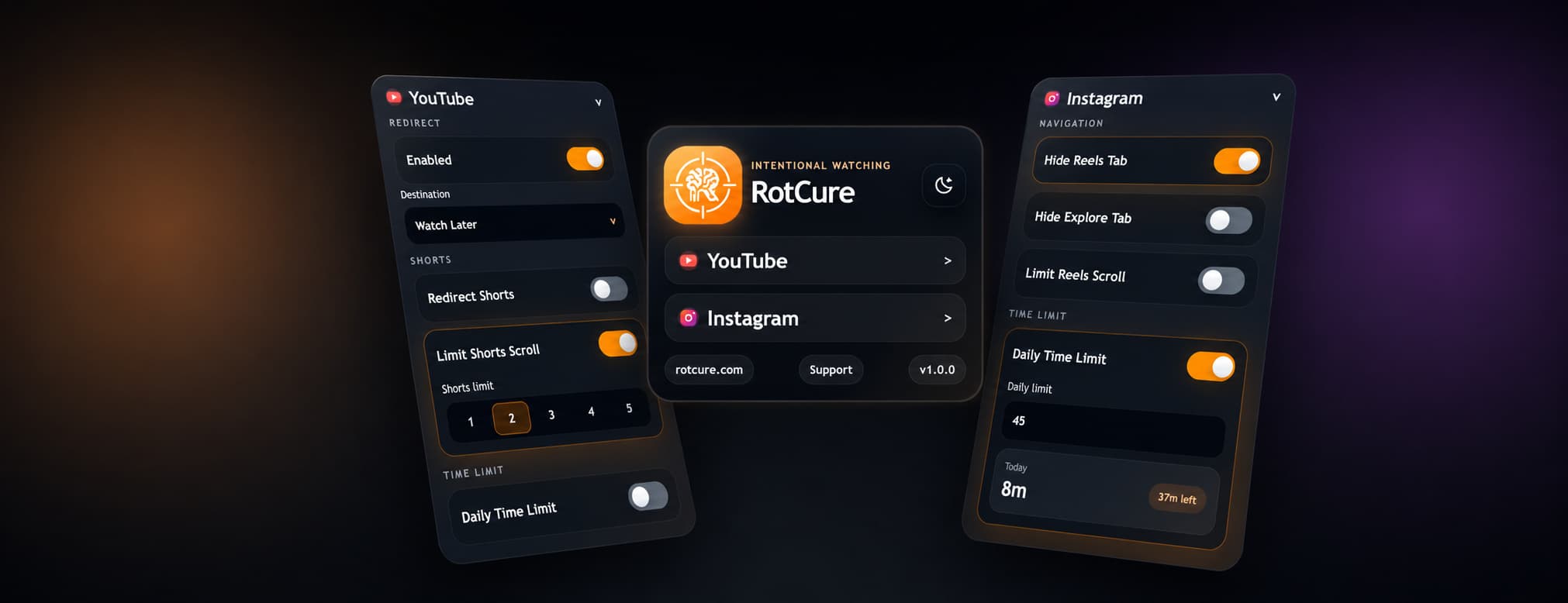

RotCure
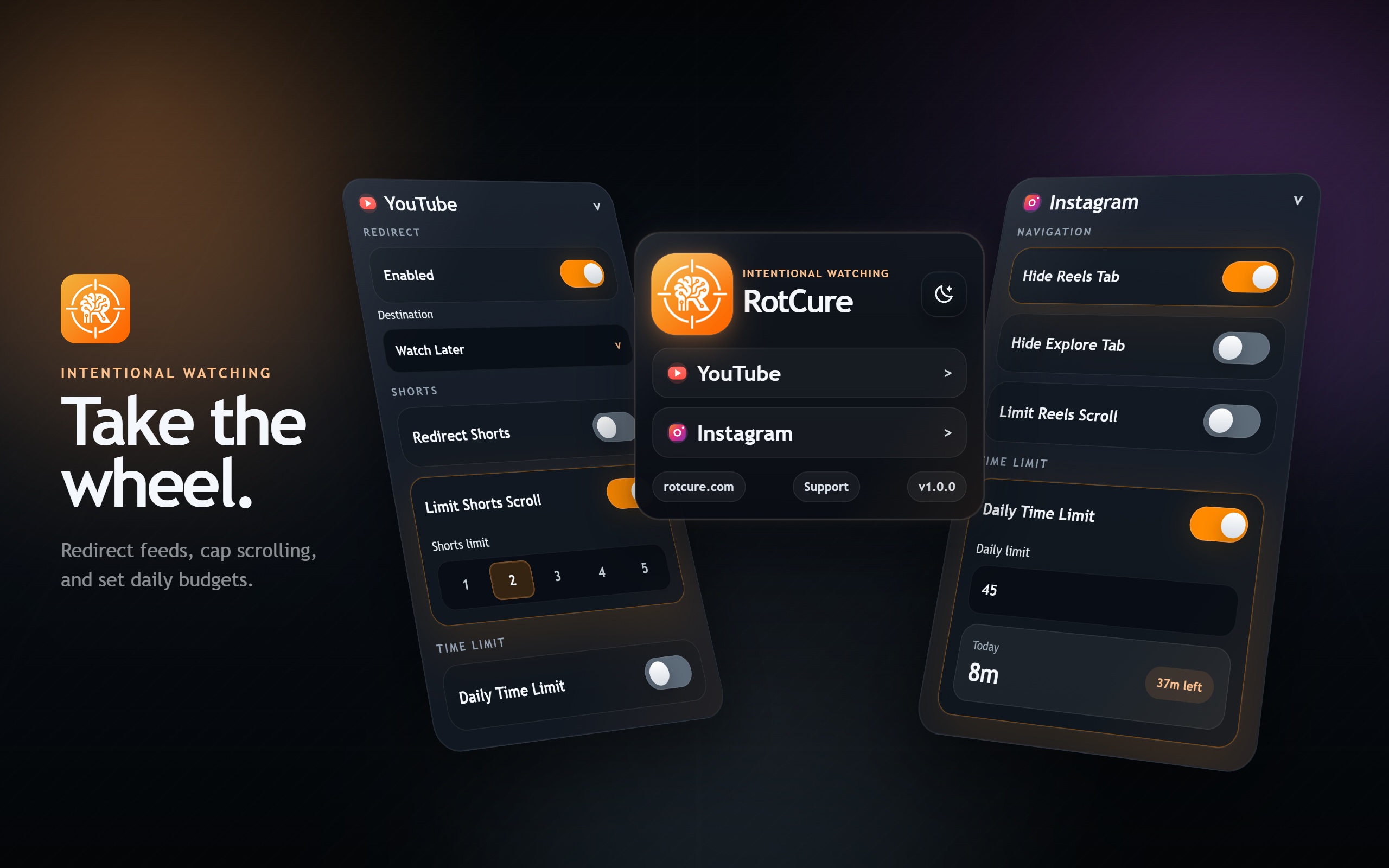
RotCure is a browser extension I built to reduce "just one more video" behavior on YouTube and Instagram.
It is not a generic site blocker. I still want to use YouTube for tutorials, subscriptions, playlists, music, and references. I still want to open Instagram when there is a reason. The problem is the small set of entry points that turn a deliberate visit into a reactive session:
- YouTube Home
- YouTube Shorts
- Instagram Reels
- Instagram Explore
- Daily platform drift after the original task is done
The product idea is simple: do not rely on discipline after the loop has started. Remove or soften the entrances before the algorithm gets a turn.
At a Glance
- Status: Live at rotcure.com
- Type: Manifest V3 browser extension with a separate Vite product website
- Platforms: YouTube and Instagram
- Core controls: redirects, hidden entry points, Shorts/Reels session limits, daily usage limits
- Privacy model: settings and usage state stay in browser storage
Why I Built It
Most focus tools are too blunt for how I actually use the web.
Blocking YouTube completely sounds clean, but it breaks legitimate workflows. Developers use it for conference talks, framework tutorials, debugging walkthroughs, music, and saved videos. Students use it for lectures. Remote workers use it for async recordings. The problem is not the domain itself.
The problem is the route you land on.
Opening youtube.com drops you into recommendations. Opening one Short puts you inside a full-screen feed built for continuation. Instagram has the same pattern with Reels and Explore. Once that mode starts, the user is no longer making a fresh choice on every video. The page keeps providing the next choice.
RotCure adds friction exactly where the drift begins.
 View
View
Product Surface
YouTube Controls
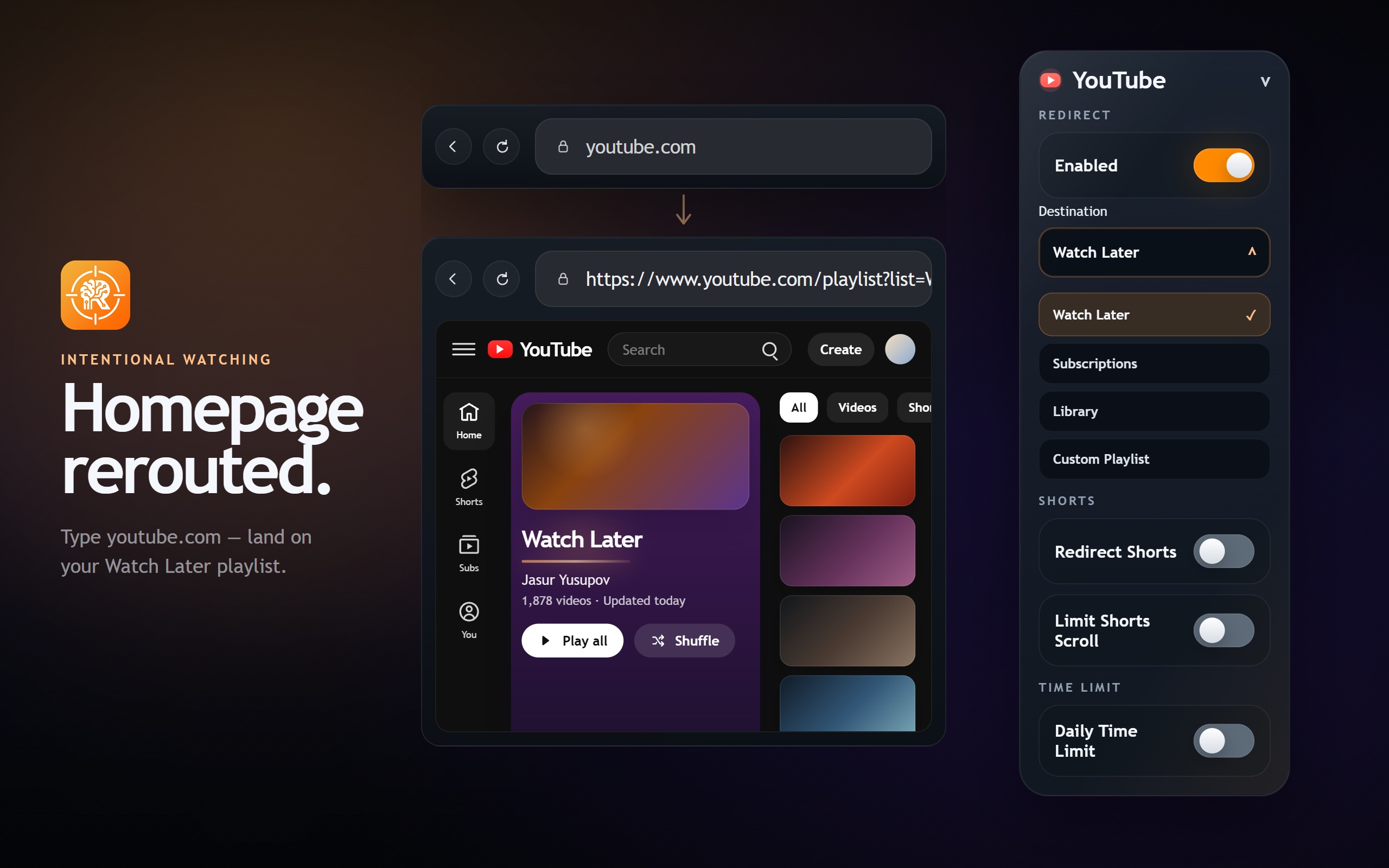
The YouTube side is built around redirecting the homepage into a more intentional destination and limiting the short-form feed.
 View
View
YouTube features:
- Redirect YouTube Home to Watch Later, Subscriptions, Library, or a custom playlist
- Redirect Shorts away from the Shorts feed
- Hide the Shorts tab from YouTube navigation
- Hide the Explore section from the YouTube sidebar
- Limit Shorts scrolling to 1-5 Shorts per session
- Track daily YouTube usage and block the site after a configured limit
The custom playlist option matters because not every intentional YouTube workflow fits into Watch Later or Subscriptions. A user can point the homepage to a learning queue, workout playlist, saved music playlist, or anything else that has a valid YouTube playlist URL.
Shorts Session Limits
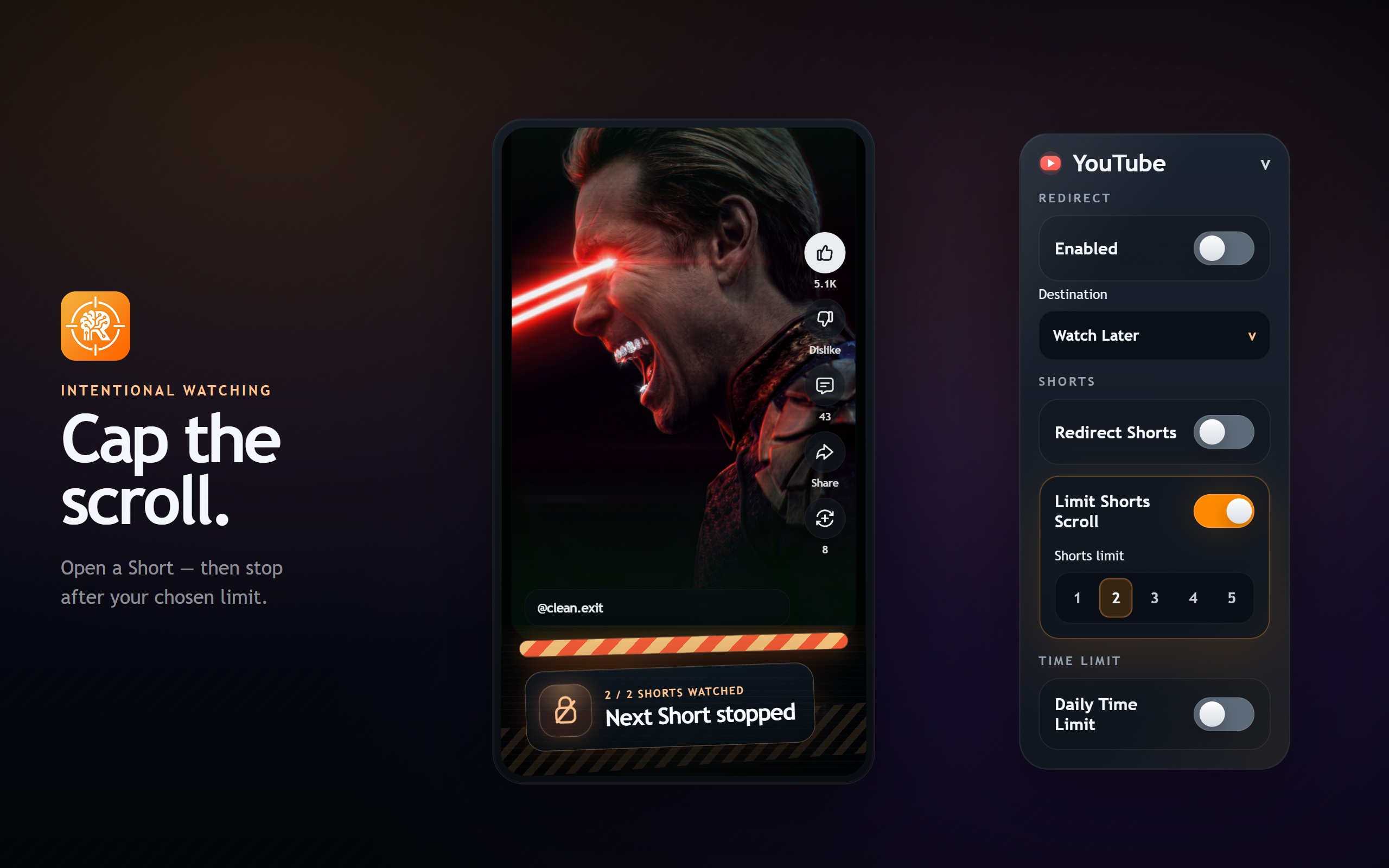
Full blocking is not always the right answer. Sometimes I still want to open the specific Short someone sent me. The dangerous part is the second, third, fourth, and fifth swipe.
 View
View
RotCure supports a per-session Shorts limit from 1 to 5.
If the limit is 1, the opened Short is allowed and forward navigation is blocked. Backward navigation stays free so the user is never trapped. Leaving Shorts resets the session.
Daily Time Limits
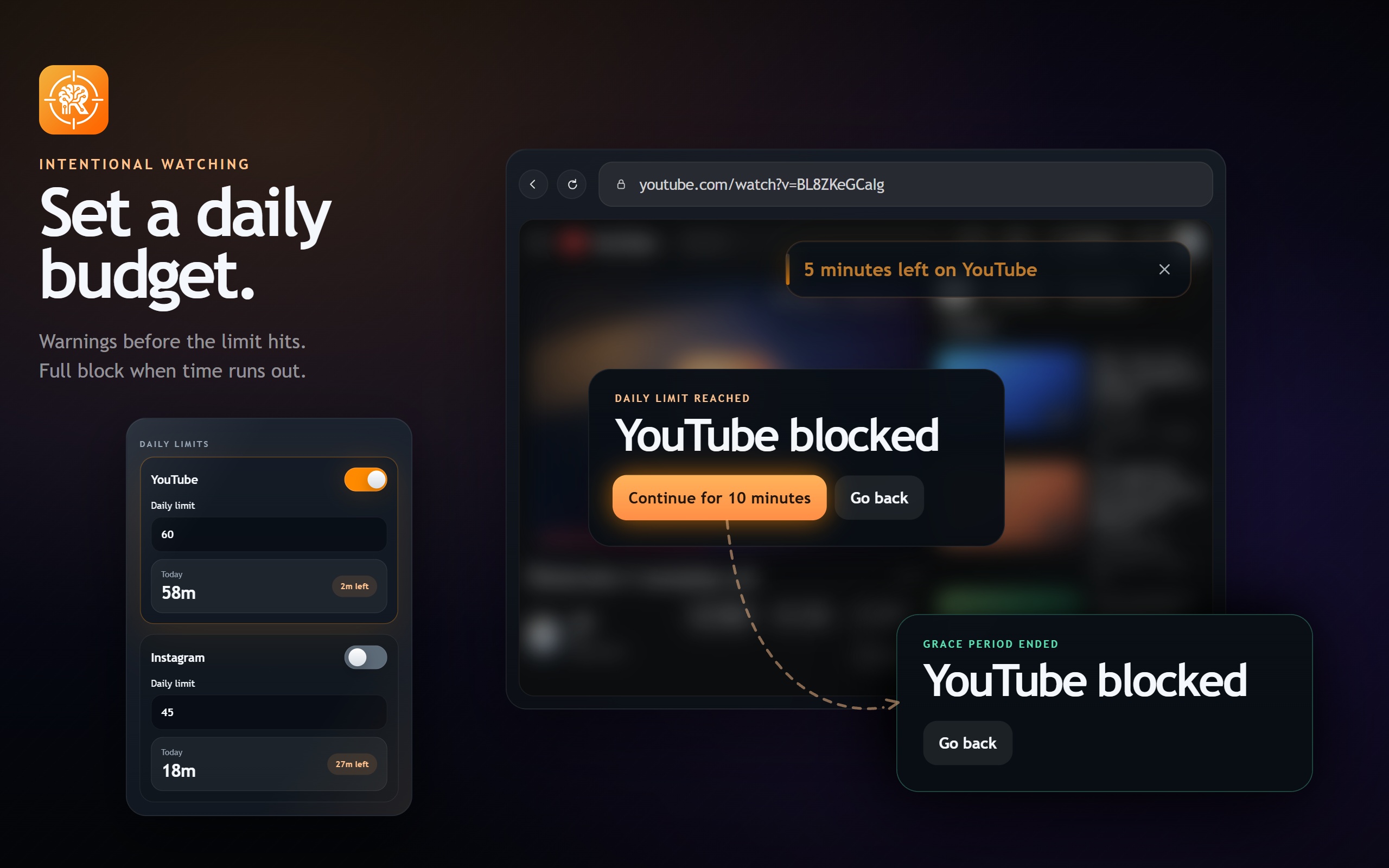
Short-form limits solve one class of distraction. Daily time limits solve another: the quiet accumulation of time across normal browsing.
 View
View
When a platform limit is reached, RotCure blocks interaction, pauses media, locks scrolling, and shows a focused overlay. The user gets one short grace window per platform per day.
Daily limit features:
- Separate limits for YouTube and Instagram
- Local usage tracking
- Warning toasts at 10, 5, and 1 minute before blocking
- One 10-minute grace window per platform per day
- Live usage summaries in the popup
Instagram Controls
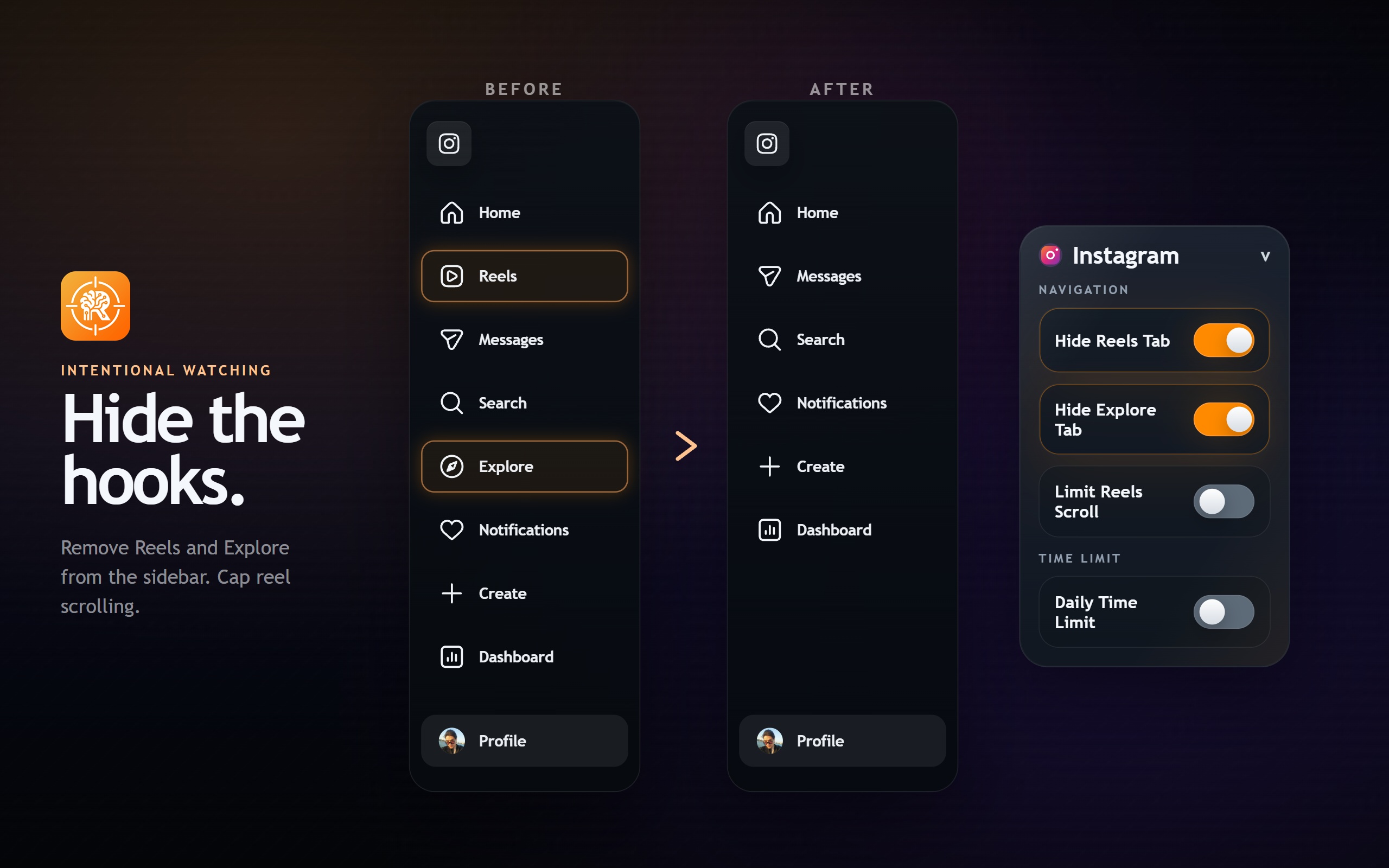
The Instagram side follows the same principle: keep useful access, remove the automatic drift.
 View
View
Instagram features:
- Redirect Instagram Home to your own profile
- Redirect Reels to your own profile
- Hide the Reels tab
- Hide the Explore tab
- Limit Reels scrolling to 1-5 Reels per session
- Track daily Instagram usage and block after a configured limit
Redirecting Instagram to your own profile is intentionally boring. That is the point. It gives the browser somewhere valid to go without dropping the user into a feed.
Architecture
RotCure is a plain Manifest V3 extension. There is no framework in the extension runtime and no build step for the extension package.
The extension is split into four layers:
manifest.jsondeclares permissions, host access, content scripts, and the popup.background.jsowns redirects, settings hydration, usage state, warnings, grace windows, and runtime messages.- Content scripts handle page-level behavior on YouTube and Instagram.
popup.htmlandpopup.jsprovide the control center and persist settings.
The core manifest shape is intentionally small:
{
  "manifest_version": 3,
  "name": "RotCure",
  "permissions": ["storage", "activeTab"],
  "host_permissions": [
    "*://www.youtube.com/*",
    "*://youtube.com/*",
    "*://www.instagram.com/*",
    "*://instagram.com/*"
  ],
  "background": {
    "service_worker": "background.js"
  }
}
The extension uses chrome.storage.sync for user settings and chrome.storage.local for runtime state like recent usage and grace windows. That split keeps preferences portable while avoiding unnecessary sync churn for frequently changing usage counters.
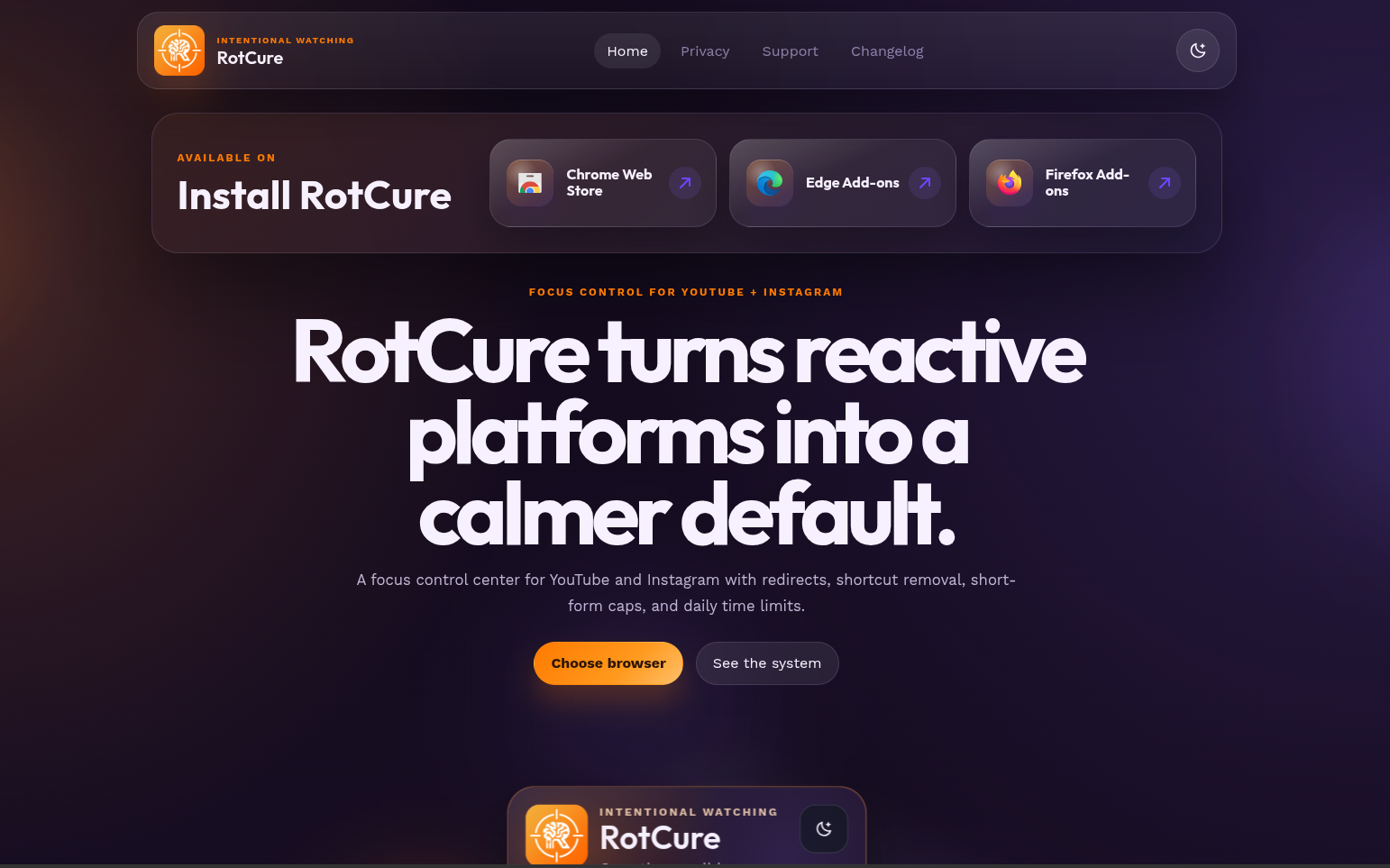
The public product website is a separate Vite app. I kept it outside the extension package so the marketing surface, screenshots, install links, and support pages can evolve without changing the browser extension runtime.
 View
View
The homepage gives the extension a public product surface without tying the marketing site to the browser runtime. That separation made it easier to update copy, support content, screenshots, and release links independently from browser-extension releases.
I also built the promo/demo video with Remotion. That let me treat the video as a programmable React composition instead of a one-off editing timeline, which made it easier to keep the visuals aligned with the product UI and regenerate the final asset when the extension changed.
Redirect Layer
Redirects are handled in the background service worker. That keeps route decisions centralized and lets the extension react when tabs update, when the active tab changes, or when settings change.
The redirect rule set is intentionally explicit. If YouTube Home redirection is enabled, youtube.com is sent to the user's selected destination. If Shorts or Reels redirection is enabled, the feed route is only redirected when session limiting is off. Instagram Home and Reels can also redirect to the user's own profile, which gives the browser a valid destination without opening a discovery feed.
One important detail: Shorts/Reels redirect and Shorts/Reels limit modes are mutually exclusive. If the user chooses redirect mode, RotCure sends the user away from the feed. If the user chooses limit mode, RotCure allows the opened item and controls forward movement inside the session.
Hiding Entry Points
YouTube and Instagram are single-page applications. Their navigation DOM changes without full page reloads, so one static DOM edit is not enough.
For YouTube, RotCure repeatedly computes the current hide targets and reconciles them against elements it has already modified. Each pass restores elements that no longer match the active settings, then hides the current targets while preserving enough state to undo the change later.
That reconciliation matters. If a setting is turned off, RotCure restores the original display style instead of leaving the page in a modified state. The content scripts also listen for navigation events like popstate, hashchange, and YouTube's yt-navigate-finish, with a short polling fallback for dynamic UI changes.
Scroll Limits
The hardest part of the extension was not redirecting. It was limiting Shorts/Reels without making the browser feel broken.
For Shorts, the content script keeps a session-local list of viewed Short IDs. If the user enters a new Short and the session has room, the ID is recorded. If the user crosses the configured limit, RotCure reverts them to the last allowed Short.
function syncCurrentShortState() {
  const currentUrl = window.location.href;

  if (!isYouTubeShortsPage(currentUrl) || !isShortsLimitModeActive()) {
    resetShortsSession();
    return;
  }

  const shortId = getCurrentShortId(currentUrl);

  if (!shortId) {
    return;
  }

  if (viewedShortIds.includes(shortId)) {
    currentShortId = shortId;
    rememberShortUrl(shortId, currentUrl);
    return;
  }

  if (viewedShortIds.length < getShortsScrollLimit()) {
    viewedShortIds = viewedShortIds.concat(shortId);
    currentShortId = shortId;
    rememberShortUrl(shortId, currentUrl);
    return;
  }

  revertToAllowedShort(shortId);
}
The second problem is input behavior. A mouse wheel can fire many events in a burst, and a trackpad can generate tiny deltas that behave differently from a physical wheel. RotCure separates backward movement from forward movement, ignores horizontal scroll, throttles repeated forward events, and stops forward navigation at the limit with a short toast instead of silently swallowing the action.
Instagram Reels use the same conceptual model: track viewed Reel IDs, allow backward movement, block forward navigation after the limit, and show a short toast instead of silently swallowing the user's action.
Daily Usage Tracking
Daily limits are coordinated through a message loop between content scripts and the background worker.
The page script records active time only when the page is visible and focused. It sends heartbeat messages to the background worker, which clamps elapsed time and updates local storage. The background worker then returns a platform snapshot that the content script can use to render warnings or block the page.
The returned snapshot contains the platform, current day key, used time, configured limit, grace-window state, blocking state, and newly triggered warnings. That gives the page script one small state object for rendering warning toasts, blocking overlays, popup usage summaries, and grace-window behavior.
When the platform is blocked, the content script does more than show a modal. It pauses media, prevents clicks and key presses outside the RotCure overlay, locks scroll position, and re-checks media playback because SPAs can mount new video elements after the first block.
Popup Control Center
The popup is not just a settings dump. It is designed as a small control center with platform sections.
It supports:
- YouTube and Instagram sections
- Collapsible groups
- Light/dark theme
- Hide/show hints
- Tap-friendly segmented controls for Shorts/Reels limits
- Live usage summaries
- Version, product site, and support links
Limit values are intentionally locked for one hour after change. That is not a security feature. It is a behavioral feature. If the user can raise the limit instantly every time they hit friction, the limit becomes a decorative setting.
Cross-Browser Packaging
The source extension is Manifest V3, but the packaging script builds separate ZIP files for Chrome, Edge, and Firefox.
Firefox needs a slightly different background declaration, so the packaging script rewrites the manifest at archive time. Chrome and Edge keep the service-worker declaration, while Firefox receives the background script shape and browser-specific settings it expects. The result is one codebase with store-ready packages for all three browsers.
Privacy Model
Focus tools can become sensitive quickly because usage tracking is personal.
RotCure does not send usage data to a RotCure backend. Settings and recent usage state live in browser storage. The extension needs that state to enforce daily limits, but it does not need a server to do it.
This also keeps the architecture simpler. The extension can work as a local friction layer instead of becoming another account-based productivity platform.
Current Status
RotCure is live at rotcure.com. The current version covers YouTube and Instagram redirects, hidden feed entry points, Shorts/Reels session limits, daily usage limits, one grace window per platform per day, and local-only usage tracking.
Extension packages are built for Chrome, Edge, and Firefox from the same source. The product website, screenshots, support content, and promo video are maintained separately from the extension runtime so the public surface can keep changing without forcing browser-extension code changes.
What I Learned
The obvious version of this product is a blocker. The useful version is more precise.
The implementation work was mostly about respecting user intent:
- If the user wants YouTube, send them to a deliberate page.
- If the user opens one Short, allow that one Short.
- If the user hits a limit, explain what happened.
- If the user goes backward, do not block them.
- If a setting is disabled, restore the page.
The technical challenge was dealing with hostile surfaces in a calm way: SPA navigation, dynamic DOM, inconsistent selectors, wheel bursts, focus/visibility tracking, and platform-specific URL patterns.
What I Would Build Next
The first version covers YouTube and Instagram because those were the loops I wanted to control first.
Next areas I would explore:
- More granular YouTube feed controls
- More platforms with similar short-form loops
- Better reporting inside the popup
- Export/import for settings
- Mobile-friendly approaches where browser extensions are limited
- A stronger onboarding flow that helps users choose defaults quickly
Try It
RotCure is live at rotcure.com.
The project is built around one idea:
Do not try to win against the feed after it already has momentum. Change the first click.