
Why I Built It
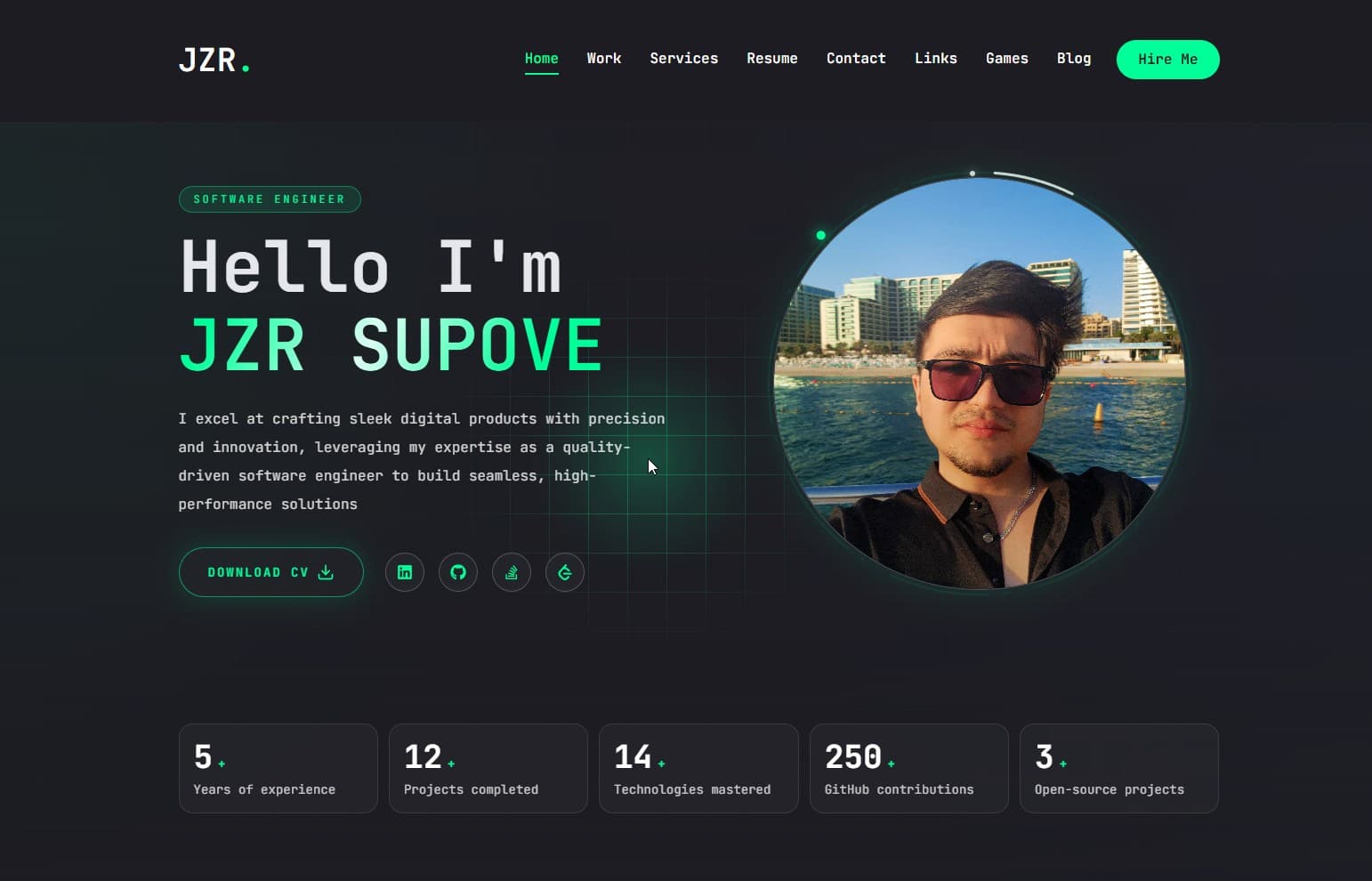
- I wanted a single digital studio where hiring managers, collaborators, and friends can find my work, résumé, and longer-form writing without bouncing between platforms.
- Publishing should feel as easy as dropping a Markdown file into my Obsidian vault—no CMS logins, no copy-and-paste into web forms.
- The site doubles as a playground for the stack I enjoy (Next.js 14 + FastAPI) and a place to experiment with motion, auth flows, and progressive enhancement.
Note-to-Web Pipeline
 View
View
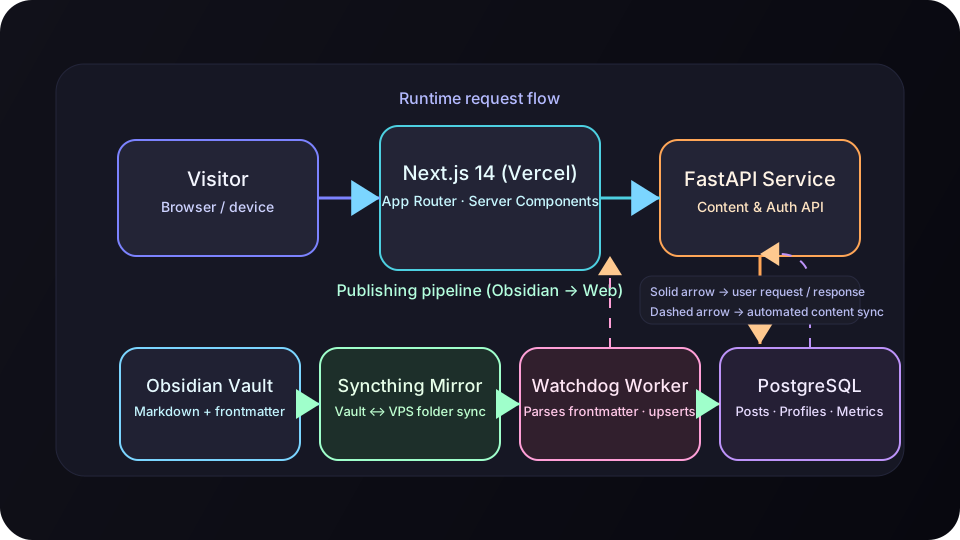
- Posts start life in Obsidian with a frontmatter block that carries fields such as
title,slug,publish,banner, andpost_id. - Syncthing mirrors the
Blog/folder from my laptop to the production VPS where FastAPI is running. - A Watchdog-powered observer tails filesystem events, parses the frontmatter, and upserts rows in PostgreSQL through the FastAPI layer.
- The Next.js frontend reads from that API (
process.env.NEXT_PUBLIC_API_URL), so publishing is as fast as hitting save in Obsidian.
| Frontmatter Field | Purpose |
|---|---|
post_id | Detects whether FastAPI should create or update the row |
publish | Toggle that lets me keep drafts in source control without exposing them |
created_at | Preserves the original writing date for the UI timeline |
banner, description, slug, title | Feed the hero image, blog cards, and Open Graph meta |
Frontend Experience
Global shell and navigation
- The app router is wrapped in
AuthProvider(hooks/AuthContext.tsx), which hydrates the user from/users/me, attaches the JWT to every request, and exposeslogin/logout. ClientLayoutcoordinates the chromed header,StairTransition, andPageTransitionso non-blog routes get animated entrances while/blogstays lean for long-form reading.- Header actions adapt: blog, games and admin routes offer login or the authenticated profile menu (
components/ProfileMenu.tsx). The main navigation links to Work, Blog, Tools, Resume, Connect and Games; Services stays accessible from the homepage and footer.
Blog surfaces
app/blog/page.tsxruns on the server and callsGET {API_URL}/posts/withcache: "no-store"to keep the list fresh. When the API is unreachable it gracefully renders the initial data set.- Once hydrated,
components/blog/BlogListing.tsxgives readers six sort orders, section filters, and search with debouncing; it falls back to client-side filtering if a network call fails. - Detail pages (
app/blog/[slug]/page.tsx) stitch together server-rendered Markdown with client-only interactions insideClientSideExtras. The sidebar buttons (likes, comments, copy link) stay visible thanks to a responsive layout that swaps between a fixed rail and a floating pill on mobile.
Markdown renderer tuned for Obsidian
components/blog/MarkdownContent.tsxwiresremarkCallout,remarkObsidianImages, andremarkObsidianInternalLinksso Obsidian callouts, embeds (![[...]]), and heading links survive the journey.- Images referenced with relative paths are automatically rewritten to
API_URL/media/<section>/..., while videos fall back to a custom React component. Syntax highlighting useshighlight.jsand a bespokeCodeBlock. - The Work case studies reuse the same renderers (
components/work/CaseStudyMarkdown.tsx) for consistent typography.
Authenticated extras
usePostExtrasfetches/posts/{slug}/extrasvia an axios instance that is cached for two seconds (lib/axios.tsx+axios-cache-interceptor) to dodge duplicate calls during rapid interactions.- Likes, comments, and share buttons do optimistic UI updates; if FastAPI answers with
401, anAuthModal(components/AuthModal.tsx) prompts the user to sign in without losing scroll position. - The profile area (
app/profile/page.tsx) lets authenticated readers manage their avatar by sending multipart uploads to/users/avatar, with toast-driven feedback loops for success and failure.
Contact and résumé flows
- Connect (
/links) brings direct email, Telegram and phone links together with professional and personal profiles. The old/contactpage redirects there, and the public form and its backend submission endpoint have been retired. - Résumé tabs organize career details. Services is a separate, server-rendered page with four short descriptions, supporting project links and one invitation to discuss a project.
Backend Interface & Operations
Ts
// lib/axios.tsx
const api = setupCache(
  axios.create({ baseURL: process.env.NEXT_PUBLIC_API_URL, headers: { "Content-Type": "application/json" } }),
  { ttl: 2000, interpretHeader: false, methods: ["get"] },
);

api.interceptors.request.use((config) => {
  const token = typeof window !== "undefined" ? localStorage.getItem("token") : null;
  if (token) config.headers.Authorization = `Bearer ${token}`;
  return config;
});
- Every client-side hook reuses this cached instance, keeping follow-up requests inside the 2 s TTL when users bounce between blog posts or re-open the sidebar.
- Login/signup flows hit
POST /users/authorizeandPOST /users/respectively; once a JWT is stored, the provider rehydrates the session without a full reload. process.env.NEXT_PUBLIC_API_URLis referenced consistently across server components (fetch) and client components (axios), so staging can be as simple as pointing the frontend at a different FastAPI base URL.
What’s Next
- Build a FastAPI endpoint that streams metrics into the
Statscomponent, replacing the current static counts with live GitHub, blog, and project numbers. - Finish the profile area with lists of liked posts and comments now that the backend exposes the data.
- Extend the Obsidian plugins to cover audio embeds and inline diagrams so posts like architecture deep-dives can stay entirely within Markdown.