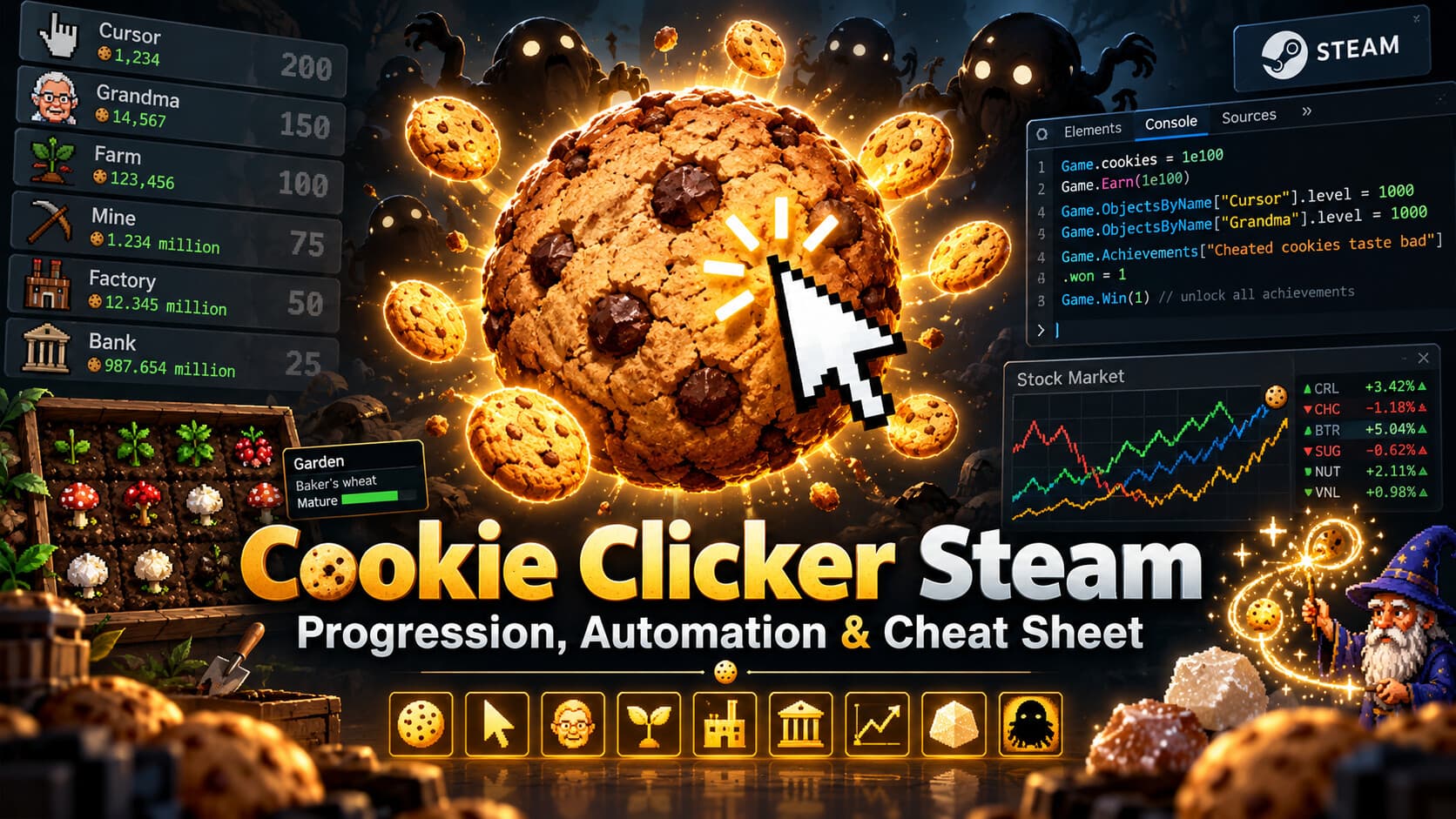
Cookie Clicker Steam: Progression, Automation & Cheat Sheet
Cookie Clicker is more fun when you decide how much of the grind you actually want to keep.
I started normally, played actively, left it AFK for a while, then moved to automation once repetitive clicking stopped being interesting. Eventually I started using the console for the achievements and mechanics whose main requirement is simply leaving the game running for an absurd amount of time.
This guide follows the same progression:
- Play normally.
- Automate repetitive clicking.
- Accelerate slow mechanics.
- Use targeted console commands.
- Directly unlock an achievement only as a fallback.
Console commands can permanently alter save state.
1. Start with Better AutoClicker
The easiest first step is Better AutoClicker - Advanced Multi-feature Cookie Automation from the Steam Workshop.
It can automate:
- Big Cookie clicks
- Golden Cookies
- Wrath Cookies
- Reindeer
- Wrinkler popping
- Background clicking
- 1-100 clicks per second
The mod also states that it does not disable Steam achievements.
Install from Steam Workshop
- Open Cookie Clicker in your Steam Library.
- Open Workshop.
- Search for:
Better AutoClicker - Advanced Multi-feature Cookie Automation - Subscribe.
- Restart Cookie Clicker.
- Open the game's mod/options menu and enable it.
The Workshop item is currently discontinued, so it may stop working after a future Cookie Clicker update. If Steam fails to install it correctly, the author's GitHub version can be placed manually into:
Cookie Clicker/mods/local/
For normal progression, my preferred configuration is:
Big Cookie:        enabled
Golden Cookies:    enabled
Wrath Cookies:     optional
Reindeer:          enabled
Wrinkler popping:  disabled unless farming them
Clicks/sec:        whatever feels reasonable
This alone removes most of the boring mechanical clicking while leaving the actual progression systems intact.
2. Enable the Steam DevTools without disabling achievements
Cookie Clicker's Steam build has a developer flag in:
Cookie Clicker/resources/app/start.js
You can find the game directory from:
Steam -> Cookie Clicker -> Manage -> Browse local files
Normally, changing:
let DEV=0;
to:
let DEV=1;
opens the developer tools, but developer mode disables Steam achievements.
Instead, leave:
let DEV=0;
Then find:
if (DEV) win.webContents.openDevTools();
and replace it with:
win.webContents.openDevTools();
Restart the game.
You now get Chromium DevTools while DEV remains 0, so the game is not running in developer mode.
start.js. If the console suddenly disappears after an update, check this modification again.Use the Console tab for everything below.
3. Basic console commands
Check a value
Game.cookies
Game.lumps
Game.UpgradesOwned
Add cookies
Game.cookies += 1000000000;
Set cookies exactly
Game.cookies = 1000000000000;
Add Sugar Lumps
Game.lumps += 100;
Set Sugar Lumps
Game.lumps = 1000;
Infinity
Commands such as Game.cookies = Infinity destroy most remaining progression. Targeted acceleration is much more useful than nuking the entire economy.4. Golden Cookies
Spawn one Golden Cookie
new Game.shimmer('golden', { noWrath: true });
Spawn four simultaneously
Useful for Four-leaf cookie:
for (let i = 0; i < 4; i++) {
    new Game.shimmer('golden', { noWrath: true });
}
Do not click them until all four are visible.
Spawn and instantly click Golden Cookies
for (let i = 0; i < 100; i++) {
    (new Game.shimmer('golden', { noWrath: true })).pop();
}
Auto-click existing Golden Cookies
window.autoGolden = setInterval(() => {
    Game.shimmers.forEach(s => {
        if (s.type === 'golden' && !s.wrath) s.pop();
    });
}, 250);
Stop:
clearInterval(window.autoGolden);
Trigger a Cookie Storm
Cookie Storm is the effect that throws many small Golden Cookies onto the screen.
let gc = new Game.shimmer('golden', { noWrath: true });
gc.force = 'cookie storm';
gc.pop();
Reset an accidental Cookie Chain
Game.shimmerTypes.golden.chain = 0;
5. Grimoire: refill magic instantly
const M = Game.Objects['Wizard tower'].minigame;
M.magic = M.magicM;
Inspect:
({
    magic: Game.Objects['Wizard tower'].minigame.magic,
    max: Game.Objects['Wizard tower'].minigame.magicM
});
This is useful when farming Force the Hand of Fate without waiting for mana regeneration.
6. Sugar Lumps
Make the current lump Golden
Game.lumpCurrentType = 2;
Types:
0 = Normal
1 = Bifurcated
2 = Golden
3 = Meaty
4 = Caramelized
Make lump stages much faster
Game.lumpMatureAge /= 100;
Game.lumpRipeAge /= 100;
Game.lumpOverripeAge /= 100;
For effectively instant testing:
Game.lumpMatureAge = 1;
Game.lumpRipeAge = 1;
Game.lumpOverripeAge = 1;
Some game recalculations may restore these values.
Set lifetime harvested lumps
Game.lumpsTotal = 365;
This is useful for lump-count achievement cleanup.
7. Garden acceleration
The Garden normally wastes a lot of real-world time because mutations are only rolled on ticks.
Force Garden ticks every 500 ms
window.fastGarden = setInterval(() => {
    Game.Objects['Farm'].minigame.nextStep = 0;
}, 500);
Stop:
clearInterval(window.fastGarden);
Do not make it too fast unless you are watching the Garden - plants can mature and die before you react.
Unlock every Garden seed
const M = Game.Objects['Farm'].minigame;

for (const key in M.plants) {
    M.unlockSeed(M.plants[key]);
}
Refresh the Garden UI if necessary:
Game.Objects['Farm'].minigame.buildPanel();
Seedless to nay
Once the seed log is complete, use the Garden's normal Sacrifice garden button.
That is preferable to directly unlocking the achievement because you still perform the actual Garden mechanic.
Fallback:
Game.Win('Seedless to nay');
8. Stock Market acceleration
Faster market ticks
window.fastMarket = setInterval(() => {
    Game.Objects['Bank'].minigame.tick();
}, 500);
Stop:
clearInterval(window.fastMarket);
Check current profit
Game.Objects['Bank'].minigame.profit
Simple auto trader
This aggressively buys stocks far below their resting value and sells them after a reasonable recovery.
(() => {
    const M = Game.Objects['Bank'].minigame;

    if (window.autoStockBot) {
        clearInterval(window.autoStockBot);
    }

    window.autoStockState = window.autoStockState || {};

    window.autoStockBot = setInterval(() => {
        M.goodsById.forEach((g, i) => {
            const resting =
                10 * (i + 1) +
                Game.ObjectsById[i].level - 1;

            const ratio = g.val / resting;

            const state = window.autoStockState[i] ||= {
                buyPrice: null
            };

            if (
                g.stock === 0 &&
                ratio < 0.55 &&
                g.mode !== 4 &&
                g.mode !== 5
            ) {
                const before = g.stock;

                M.buyGood(i, 1000000);

                if (g.stock > before) {
                    state.buyPrice = g.val;

                    console.log(
                        `BUY ${g.symbol} @ $${g.val.toFixed(2)}`
                    );
                }

                return;
            }

            if (g.stock > 0) {
                const profitable =
                    state.buyPrice === null ||
                    g.val > state.buyPrice * 1.10;

                const expensive = ratio > 1.25;

                const trendExit =
                    g.mode === 4 ||
                    (ratio > 1.0 && g.d < 0);

                if (
                    profitable &&
                    (expensive || trendExit)
                ) {
                    console.log(
                        `SELL ${g.symbol} @ $${g.val.toFixed(2)}`
                    );

                    M.sellGood(i, 1000000);
                    state.buyPrice = null;
                }
            }
        });
    }, 250);

    console.log('Auto Stock Bot started.');
})();
Stop:
clearInterval(window.autoStockBot);
clearInterval(window.fastMarket);
Liquid assets
Set profit just below $10 million:
Game.Objects['Bank'].minigame.profit = 9999999;
Then make one profitable sale.
Fallback:
Game.Win('Liquid assets');
Gaseous assets
Set profit just below $31.536 million:
Game.Objects['Bank'].minigame.profit = 31535999;
Then make one profitable sale.
Fallback:
Game.Win('Gaseous assets');
9. Wrinklers
Inspect active Wrinklers
Game.wrinklers
    .map((w, i) => ({
        id: i,
        phase: w.phase,
        hp: w.hp,
        pokes: w.clicks
    }))
    .filter(w => w.phase > 0);
Check Wrinkler poker
Game.Achievements['Wrinkler poker'].won
If you have already poked the same Wrinkler 50+ times but the achievement did not register because an automation script modified internal counters directly, use:
Game.Win('Wrinkler poker');
Directly editing w.clicks is not equivalent to going through the game's actual poke event, so do not rely on that counter alone to trigger the achievement.
10. Seasons and event upgrades
Halloween
Game.season = 'halloween';
Missing Halloween cookie upgrades can be unlocked individually:
[
    'Ghost cookies',
    'Bat cookies',
    'Slime cookies',
    'Eyeball cookies'
].forEach(name => Game.Unlock(name));
Then buy them normally.
Christmas
Game.season = 'christmas';
Spawn Reindeer repeatedly:
window.fastReindeer = setInterval(() => {
    new Game.shimmer('reindeer');
}, 1000);
Stop:
clearInterval(window.fastReindeer);
Easter
Game.season = 'easter';
Then rapidly roll Golden Cookie drops:
window.fastGolden = setInterval(() => {
    (new Game.shimmer('golden', { noWrath: true })).pop();
}, 500);
Stop:
clearInterval(window.fastGolden);
11. Krumblor upgrades
The four petting drops are:
Dragon scale
Dragon claw
Dragon fang
Dragon teddy bear
If you only need them available for purchase:
[
    'Dragon scale',
    'Dragon claw',
    'Dragon fang',
    'Dragon teddy bear'
].forEach(name => Game.Unlock(name));
Then buy them normally.
12. Inspect missing upgrades
In the current Steam build, Game.UpgradesById may behave like an object rather than a normal Array, so wrap it with Object.values().
Every unbought non-debug upgrade
Object.values(Game.UpgradesById)
    .filter(u => !u.bought && u.pool !== 'debug')
    .map(u => ({
        name: u.name,
        pool: u.pool,
        unlocked: u.unlocked,
        price: u.getPrice ? u.getPrice() : u.basePrice
    }));
Locked upgrades only
Object.values(Game.UpgradesById)
    .filter(u => !u.bought && !u.unlocked && u.pool !== 'debug')
    .map(u => ({
        name: u.name,
        pool: u.pool
    }));
Unlock all normal non-prestige upgrades
This makes them available in the store without marking them purchased:
Object.values(Game.UpgradesById).forEach(u => {
    if (
        !u.bought &&
        u.pool !== 'debug' &&
        u.pool !== 'prestige'
    ) {
        u.unlocked = 1;
    }
});

Game.RebuildUpgrades();
You can then buy the remaining upgrades normally and let purchase-count achievements trigger naturally.
Purchase 700 upgrades
Check:
Game.UpgradesOwned
Fallback:
Game.Win("Oft we mar what's well");
13. Achievement counter cleanup
Click 27,777 Golden Cookies
Inspect:
Game.goldenClicks
Set it one short:
Game.goldenClicks = 27776;
Then spawn and click one:
(new Game.shimmer('golden', { noWrath: true })).pop();
Fallback:
Game.Win("Black cat's paw");
Cast 999 spells
Inspect:
Game.Objects['Wizard tower'].minigame.spellsCastTotal
Set to 998:
Game.Objects['Wizard tower'].minigame.spellsCastTotal = 998;
Then cast one real spell.
Fallback:
Game.Win('A wizard is you');
Ascend 100 times
Inspect:
Game.resets
Directly setting the counter:
Game.resets = 100;
may not trigger the achievement by itself because Cookie Clicker does not expose a generic Game.checkAchievements() function in the current build.
Fallback:
Game.Win('Reincarnation');
14. Legacy older than one year
The important variable is Game.fullDate, not Game.startDate.
Game.startDate describes the current run/ascension. The Stats screen's Legacy started age comes from the full legacy timestamp.
Set it to slightly more than one year ago:
Game.fullDate = Date.now() - (366 * 24 * 60 * 60 * 1000);
Verify:
(Date.now() - Game.fullDate) / 86400000
Stats should now show approximately:
Legacy started: 366 days ago
Fallback:
Game.Win('So much to do so much to see');
15. Ascend with exactly 1 trillion cookies
For When the cookies ascend just right:
Game.cookies = 1000000000000;
Verify:
Game.cookies
Then ascend normally.
If production changes the number before you can ascend, use the direct fallback:
Game.Win('When the cookies ascend just right');
16. Born Again challenge achievements
These are better done together instead of individually hacking them.
Use:
Ascend
-> Challenge mode
-> Born Again
-> Reincarnate
Born Again temporarily disables prestige/heavenly advantages for that run. It does not permanently erase your normal heavenly upgrades.
Try to combine:
- Speed baking II
- Speed baking III
- Neverclick
- True Neverclick
- Hardcore
into one run.
True Neverclick + Neverclick
Do not click the Big Cookie at all.
Golden Cookies can bootstrap your first cookies, then buildings take over.
Useful check:
Game.cookieClicks
For True Neverclick it must remain:
0
Speed baking II / III
Reach 1 million cookies within:
Speed baking II  = 25 minutes
Speed baking III = 15 minutes
Semi-hack:
Game.Earn(999000);
Then earn the final amount naturally.
Hardcore
Reach 1 billion cookies without buying upgrades.
Buildings are fine. Upgrades are not.
Fallback commands:
Game.Win('Speed baking II');
Game.Win('Speed baking III');
Game.Win('Neverclick');
Game.Win('True Neverclick');
Game.Win('Hardcore');
17. Direct achievement unlock pattern
Cookie Clicker exposes:
Game.Win('Achievement name');
Examples:
Game.Win('Wrinkler poker');
Game.Win('Seedless to nay');
Game.Win('Liquid assets');
Game.Win('Gaseous assets');
Game.Win('A wizard is you');
Game.Win('Reincarnation');
Game.Win("Black cat's paw");
Game.Win("Oft we mar what's well");
Game.Win('So much to do so much to see');
Game.Win('When the cookies ascend just right');
Check whether an achievement is already unlocked:
Game.Achievements['Wrinkler poker'].won
Result:
0 = locked
1 = unlocked
- Set a counter just below the requirement.
- Perform the final action normally.
- Use
Game.Win(...)only if the game's internal trigger refuses to cooperate.
You still get to interact with the mechanic without spending hours or days on meaningless waiting.
18. Global speed and why it is not universal
Cookie Clicker normally runs game calculations around:
Game.fps = 30;
You can experiment with:
Game.fps = 300;
and restore:
Game.fps = 30;
But this is not a universal 10x speed switch.
Garden, Stock Market, Sugar Lumps and other systems may use timestamps or their own timers. For those, use the targeted acceleration scripts earlier in this guide.
19. Stop every automation script
If you have copied several scripts during a session:
clearInterval(window.autoGolden);
clearInterval(window.fastGarden);
clearInterval(window.fastMarket);
clearInterval(window.autoStockBot);
clearInterval(window.fastReindeer);
You can also inspect whether an interval variable exists:
console.log({
    autoGolden: window.autoGolden,
    fastGarden: window.fastGarden,
    fastMarket: window.fastMarket,
    autoStockBot: window.autoStockBot,
    fastReindeer: window.fastReindeer
});
My preferred way to play
I would not start Cookie Clicker by instantly running:
Game.RuinTheFun();
That skips basically everything worth discovering.
A better progression is:
Vanilla
-> Better AutoClicker
-> targeted automation
-> accelerate waiting
-> manipulate achievement counters
-> direct Game.Win() only for cleanup
The game has enough systems - ascensions, Golden Cookie combos, Grimoire, Pantheon, Garden, Stock Market, seasons, Krumblor, Wrinklers and Sugar Lumps - that completely deleting the progression misses the point.
But once an achievement asks you to leave the game idling for weeks, months, or a literal year, I see no value in keeping a PC running 24/7 just to satisfy a timer.
Automate repetition. Accelerate waiting. Keep the mechanics that are still fun.
References
- Steam Workshop - Better AutoClicker: https://steamcommunity.com/sharedfiles/filedetails/?id=3454905335
- Better AutoClicker source: https://github.com/Teyk0o/better-autoclicker
- Steam guide - enabling DevTools and console: https://steamcommunity.com/sharedfiles/filedetails/?id=2602063672
- Cookie Clicker Wiki - cheating reference: https://cookieclicker.wiki.gg/wiki/Cheating