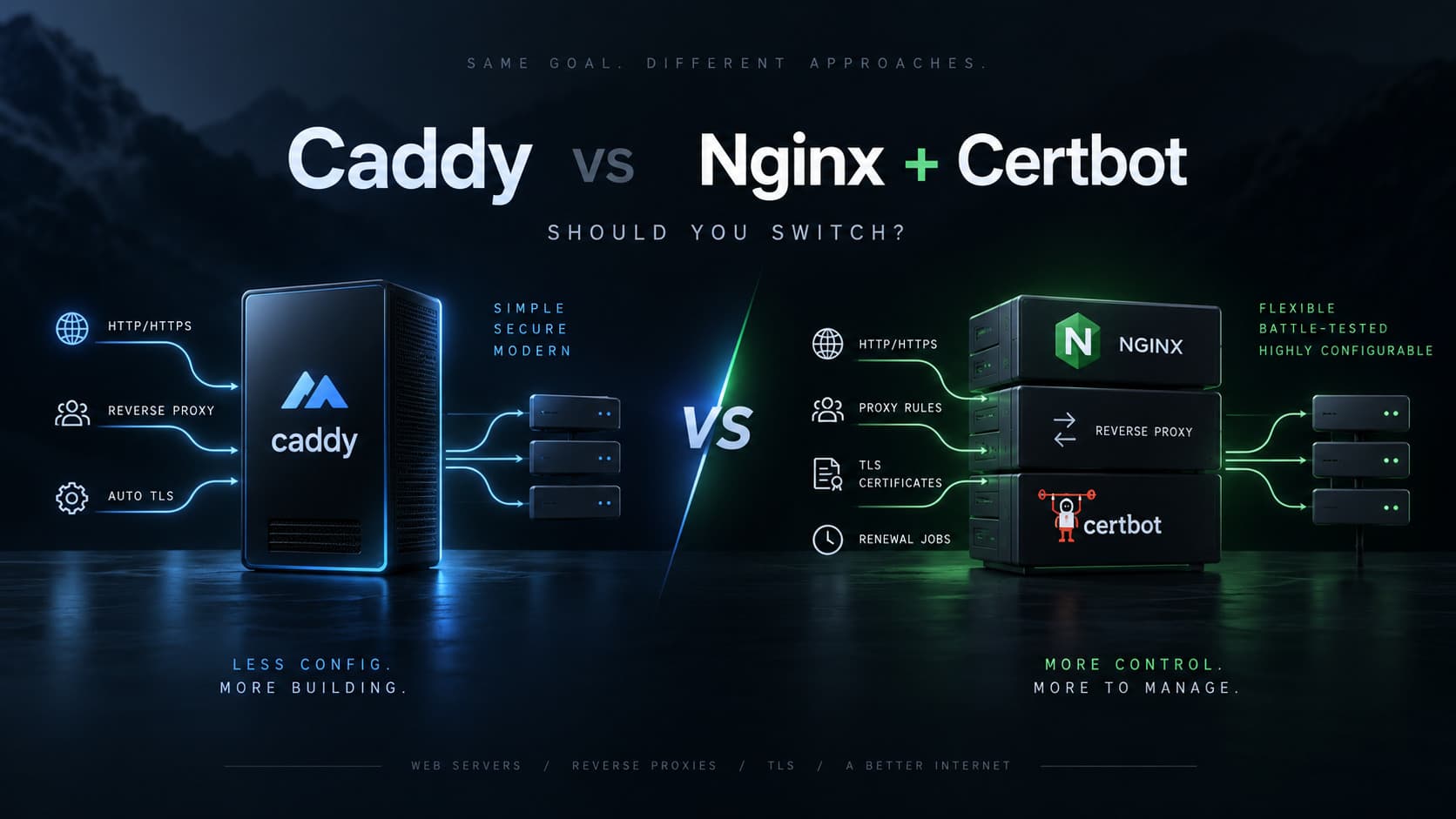
Caddy vs Nginx + Certbot in 2026: Should You Switch?
DevOps16 min read52 views
For years, my default setup for deploying web applications on a VPS has been familiar:
Internet
   ↓
Nginx
   ↓
Django / FastAPI / Node.js
Add HTTPS, and the stack usually becomes:
Internet
   ↓
Nginx
   ↓
Let's Encrypt certificates
   ↑
Certbot
   ↓
Application
It works. It is battle-tested. It is everywhere.
But recently I took a closer look at Caddy, and one question became difficult to ignore:
If I were building the same infrastructure from scratch today, would I still choose Nginx + Certbot?
My answer is: probably not.
For a fresh VPS or a new small-to-medium deployment, I would now lean toward Caddy. However, that does not mean I would immediately migrate an existing production server that already runs multiple applications behind Nginx.
That distinction is important.
This article compares both approaches from a practical backend engineer's perspective: reverse proxying, HTTPS, configuration, Docker, performance, caching, reliability, and - most importantly - when switching is actually worth it.
TL;DR#
If I were starting from a completely fresh server:
I would choose Caddy for most Django, FastAPI, Node.js, and Docker Compose deployments.
If I already had a VPS with multiple production applications behind a stable Nginx setup:
I would keep Nginx unless I had a concrete reason to migrate.
Caddy wins mainly on simplicity and operational ergonomics.
Nginx wins mainly on ecosystem maturity, advanced caching, fine-grained control, and the fact that it may already be deeply integrated into your infrastructure.
What Caddy Actually Replaces#
For a common VPS setup, Caddy effectively combines several responsibilities:
Nginx
+
Certbot
+
certificate renewal automation
+
HTTPS redirect configuration
+
TLS defaults
into one service.
With Caddy, this:
api.example.com {
    reverse_proxy localhost:8000
}
can be enough for a production HTTPS reverse proxy.
If DNS points to the server and ports 80 and 443 are reachable, Caddy can automatically:
- obtain a publicly trusted TLS certificate;
- renew the certificate;
- redirect HTTP to HTTPS;
- terminate TLS;
- proxy requests to the application.
That is the main reason Caddy feels so refreshing.
It is not necessarily doing something Nginx cannot do. It is removing several pieces of infrastructure that normally have to be configured separately.
Caddy Vs Nginx + Certbot#
| Feature | Caddy | Nginx + Certbot | My pick |
|---|---|---|---|
| Reverse proxy | Excellent | Excellent | Tie |
| HTTPS setup | Automatic | Certbot required | Caddy |
| Certificate renewal | Built in | Scheduled Certbot renewal | Caddy |
| HTTP -> HTTPS | Automatic | Explicit configuration / Certbot | Caddy |
| TLS defaults | Modern automatic defaults | Highly configurable | Caddy for most apps |
| Initial setup | Very simple | More moving parts | Caddy |
| Config readability | Excellent | More verbose | Caddy |
| Advanced routing | Very good | Excellent | Nginx |
| Load balancing | Built in | Built in | Tie |
| Active health checks | Built in | More limited in Nginx OSS | Caddy |
| Proxy caching | Not a core strength | Extremely mature | Nginx |
| Static files | Excellent | Excellent | Tie |
| WebSockets | Usually automatic | Often needs explicit headers | Caddy |
| gRPC | Yes | Yes | Tie |
| Docker Compose | Excellent | Excellent | Caddy |
| Memory efficiency | Good | Excellent | Nginx |
| Raw performance | Excellent | Excellent | Nginx by a small margin |
| Dynamic configuration | Strong API-based model | Traditionally config + reload | Caddy |
| Ecosystem | Good | Massive | Nginx |
| Enterprise adoption | Growing | Massive | Nginx |
| Existing knowledge/resources | Good | Huge | Nginx |
| Operational complexity | Low | Medium | Caddy |
The important point is that both are production-grade web servers and reverse proxies.
This is not a comparison between a serious tool and a toy.
The question is mostly about how much complexity you want to operate.
1. Configuration Complexity#
Consider a basic API:
api.example.com
       ↓
FastAPI / Django
       ↓
localhost:8000
Caddy#
api.example.com {
    reverse_proxy localhost:8000
}
That is almost the entire configuration.
Caddy automatically enables HTTPS when it knows the hostname it is serving.
Nginx#
A typical Nginx reverse proxy starts closer to this:
server {
    listen 80;
    server_name api.example.com;

    location / {
        proxy_pass http://127.0.0.1:8000;

        proxy_set_header Host $host;
        proxy_set_header X-Real-IP $remote_addr;
        proxy_set_header X-Forwarded-For $proxy_add_x_forwarded_for;
        proxy_set_header X-Forwarded-Proto $scheme;
    }
}
Then HTTPS is added separately, usually through Certbot or another ACME client.
For example:
sudo nginx -t
sudo systemctl reload nginx

sudo certbot --nginx -d api.example.com
None of this is particularly difficult.
But compare the number of concepts involved.
Caddy
Caddyfile
   ↓
Caddy
Nginx + Certbot
Nginx configuration
        ↓
Nginx

Certbot
   ↓
Let's Encrypt
   ↓
certificate files
   ↓
Nginx

systemd timer / scheduled renewal
Caddy simply has fewer moving parts.
Winner: Caddy
2. HTTPS and Certificate Management#
This is Caddy's strongest advantage.
Caddy's automatic HTTPS system handles the certificate lifecycle directly.
Given:
example.com {
    reverse_proxy localhost:8000
}
Caddy can take care of:
ACME registration
      ↓
domain validation
      ↓
certificate issuance
      ↓
TLS configuration
      ↓
HTTP -> HTTPS redirects
      ↓
certificate renewal
No separate Certbot installation is required.
What about Certbot?#
Certbot is mature and reliable.
Modern Certbot installations commonly come with automatic renewals already configured through a systemd timer or another scheduled task.
So the argument should not be:
"Certbot renewal is unreliable."
That would be unfair.
The better argument is:
"Caddy removes Certbot as a separate component."
That means fewer packages, fewer configuration files, fewer scheduled services, and fewer things to remember when maintaining the server.
Winner: Caddy
3. Reverse Proxying#
Both tools are excellent reverse proxies.
Caddy#
api.example.com {
    reverse_proxy localhost:8000
}
Nginx#
server {
    listen 443 ssl;
    server_name api.example.com;

    location / {
        proxy_pass http://127.0.0.1:8000;

        proxy_set_header Host $host;
        proxy_set_header X-Real-IP $remote_addr;
        proxy_set_header X-Forwarded-For $proxy_add_x_forwarded_for;
        proxy_set_header X-Forwarded-Proto $scheme;
    }
}
For a simple API, Caddy is dramatically cleaner.
However, Nginx becomes attractive when the routing gets complicated:
/api/
/admin/
/static/
/media/
/websocket/
/internal/
/legacy/
Nginx's configuration model gives you extremely granular control over locations, rewriting, buffering, headers, caching, timeouts, and upstream behavior.
Caddy can handle sophisticated routing too, but Nginx has decades of examples, documentation, modules, and production experience around unusual configurations.
Winner
- Simple and medium deployments: Caddy
- Very complex routing: Nginx
4. Load Balancing and Health Checks#
Caddy can load balance between multiple upstreams with very little configuration:
api.example.com {
    reverse_proxy app1:8000 app2:8000 app3:8000
}
It also supports load-balancing policies and both active and passive health checking.
For example:
api.example.com {
    reverse_proxy app1:8000 app2:8000 {
        lb_policy least_conn

        health_uri /health
        health_interval 10s
        health_timeout 2s
    }
}
Nginx is also excellent at load balancing:
upstream backend {
    least_conn;

    server app1:8000;
    server app2:8000;
}

server {
    location / {
        proxy_pass http://backend;
    }
}
Open-source Nginx supports standard strategies such as round-robin, least-connected, IP hash, weights, and passive health handling.
Caddy has a surprisingly strong feature set here for such a simple-looking server.
Winner: Approximately a Tie#
For normal application deployments, either is more than capable.
5. Performance#
This is where benchmarks can create more confusion than useful engineering decisions.
Nginx is written in C and has an extremely efficient event-driven architecture.
Caddy is written in Go and uses Go's networking stack and concurrency model.
Depending on workload and tuning, Nginx may achieve:
- lower memory usage;
- slightly higher throughput;
- lower overhead in synthetic benchmarks.
But consider a normal backend stack:
Browser
   ↓
Caddy / Nginx
   ↓
Django / FastAPI
   ↓
PostgreSQL
   ↓
Redis
   ↓
external services
In most real applications, the reverse proxy is not the bottleneck.
Database queries, serialization, application logic, external APIs, network latency, and poorly optimized endpoints are far more likely to matter.
If your application spends 40-100 ms processing a request, optimizing a tiny fraction of a millisecond in the proxy layer usually gives you nothing useful.
My Practical view#
| Metric | Caddy | Nginx |
|---|---|---|
| Throughput | Excellent | Excellent |
| Latency | Excellent | Excellent |
| Memory efficiency | Good | Excellent |
| Real-world API impact | Usually negligible | Usually negligible |
I would not choose Nginx over Caddy solely because of theoretical performance unless I had actual measurements proving that the proxy layer was a bottleneck.
Winner: Nginx Technically, Tie for Most Applications#
6. Proxy Caching#
This is an area where Nginx clearly wins.
Nginx has a mature caching system built around directives such as:
proxy_cache
proxy_cache_path
proxy_cache_key
proxy_cache_lock
proxy_cache_bypass
proxy_cache_revalidate
proxy_cache_use_stale
This enables architectures such as:
Client
   ↓
Nginx
   ↓
microcache
   ↓
Django
For expensive or high-traffic endpoints, Nginx can sometimes reduce application load dramatically before requests ever reach Python.
If reverse-proxy caching is an important part of your architecture, Nginx has a very strong advantage.
Winner: Nginx#
7. WebSockets#
For Caddy, a normal reverse proxy configuration is generally enough:
example.com {
    reverse_proxy localhost:8000
}
With Nginx, WebSocket deployments often require explicit HTTP/1.1 upgrade configuration:
proxy_http_version 1.1;
proxy_set_header Upgrade $http_upgrade;
proxy_set_header Connection "upgrade";
This is not difficult.
It is just another example of Caddy choosing sensible proxy behavior automatically.
Winner: Caddy#
8. Docker Compose#
Caddy fits Docker Compose deployments extremely well.
services:
  app:
    image: myapp
    expose:
      - "8000"

  caddy:
    image: caddy
    ports:
      - "80:80"
      - "443:443"
    volumes:
      - ./Caddyfile:/etc/caddy/Caddyfile
      - caddy_data:/data

volumes:
  caddy_data:
Then:
example.com {
    reverse_proxy app:8000
}
The Caddy data volume is important because certificate and ACME state should persist across container recreations.
An Nginx + Certbot Docker setup often involves more orchestration:
nginx container
     +
certbot container
     +
shared certificate volume
     +
renewal command/timer
There are many clean ways to solve this, but Caddy's architecture naturally removes most of that work.
Winner: Caddy#
9. Configuration Reloads#
Both are excellent.
Nginx#
A safe deployment workflow usually looks like:
nginx -t && systemctl reload nginx
Nginx starts new workers with the new configuration while existing workers finish serving their current connections.
Caddy#
Caddy can reload configuration without stopping the server:
caddy reload
Caddy also exposes a configuration API, making dynamic configuration a first-class part of its architecture.
Winner: Tie for Normal Deployments
Caddy becomes more interesting if infrastructure needs to modify routing programmatically.
10. Dynamic Configuration#
Caddy internally uses structured JSON configuration and exposes an admin API.
That means a control plane can theoretically do something like:
SaaS control plane
       ↓
Caddy API
       ↓
add/remove routes dynamically
       ↓
customer deployments
This can be useful for:
- temporary environments;
- preview deployments;
- dynamic customer domains;
- SaaS routing;
- internal developer platforms.
Nginx traditionally uses:
generate config
      ↓
nginx -t
      ↓
reload
That model is extremely reliable, but Caddy's configuration API is architecturally elegant for dynamic systems.
Winner: Caddy#
11. Static Files#
Both are very capable.
Caddy:
example.com {
    root * /var/www/app
    file_server
}
Nginx:
location /static/ {
    alias /var/www/app/static/;
}
For the normal collection of:
CSS
JavaScript
images
Django static files
SPA builds
I would not choose between Caddy and Nginx based on static-file performance.
Both are fast enough that the difference will rarely matter.
Winner: Tie#
12. Security Philosophy#
Both can be configured securely.
The main difference is philosophy.
Caddy#
Caddy favors:
secure defaults
automatic TLS
automatic certificate renewal
HTTPS by default
less configuration
The advantage is not necessarily better cryptography.
It is fewer opportunities for configuration mistakes.
Nginx#
Nginx gives you enormous control.
That is valuable when you need it.
It can also become a liability when configuration is copied from an outdated tutorial containing old TLS recommendations or unnecessary directives.
Winner
- Safe defaults: Caddy
- Maximum manual control: Nginx
13. Ecosystem and Documentation#
This is one of Nginx's strongest advantages.
Nginx is everywhere:
- VPS deployments;
- enterprise infrastructure;
- Kubernetes;
- CDNs;
- cloud platforms;
- Docker stacks;
- hosting systems;
- legacy systems.
When you search for an obscure problem, there is a good chance somebody has already solved the exact same issue with Nginx.
Caddy has good documentation and an active ecosystem, but it cannot match decades of Nginx adoption.
That matters in production.
Winner: Nginx#
14. Operational Complexity#
This is the real reason I find Caddy attractive.
A traditional deployment may involve:
/etc/nginx/
    nginx.conf
    sites-available/
    sites-enabled/
    snippets/

/etc/letsencrypt/
    live/
    archive/
    renewal/

systemd:
    nginx.service
    certbot.timer
Then there are operational checks such as:
nginx -t
certbot renew --dry-run
systemctl status nginx
systemctl list-timers
With Caddy, the conceptual surface is smaller:
/etc/caddy/Caddyfile
Caddy service
Caddy data directory
That difference becomes valuable over time.
The best infrastructure is often not the one with the most features.
It is the one you do not have to think about.
Winner: Caddy#
Caddy Pros and Cons#
| Pros | Cons |
|---|---|
| Automatic HTTPS | Smaller ecosystem |
| Automatic certificate renewal | Fewer historical troubleshooting resources |
| Automatic HTTP -> HTTPS | Proxy caching is not a core strength |
| Very small configuration | Usually somewhat higher memory usage |
| Modern TLS defaults | Less common in enterprise environments |
| Built-in ACME support | Some advanced functionality may require modules |
| Strong reverse proxy | Nginx has deeper low-level tuning |
| Active health checks | Less transferable knowledge in Nginx-heavy companies |
| Dynamic configuration API | |
| Excellent Docker experience | |
| Simple WebSocket proxying | |
| Low operational complexity |
Nginx + Certbot Pros and Cons#
| Pros | Cons |
|---|---|
| Extremely mature | More configuration |
| Massive ecosystem | TLS lifecycle is a separate concern |
| Excellent performance | Certbot is another component |
| Mature proxy caching | More moving pieces |
| Fine-grained tuning | Easier to overconfigure |
| Huge enterprise adoption | More boilerplate |
| Excellent documentation | WebSockets often need explicit configuration |
| Large module ecosystem | Old examples online can contain outdated advice |
| Proven at enormous scale | Configuration can become difficult to maintain |
Which One Would I Choose?#
Here is my current decision matrix.
| Situation | Choice |
|---|---|
| Fresh VPS | Caddy |
| New personal project | Caddy |
| Django API on a new server | Caddy |
| FastAPI on a new server | Caddy |
| Docker Compose on a new server | Caddy |
| Small startup infrastructure | Caddy |
| Simple load balancing | Caddy |
| Automatic customer domains | Caddy |
| Dynamic routing | Caddy |
| Existing VPS already built around Nginx | Nginx |
| Many production apps already depend on Nginx | Nginx |
| Heavy proxy caching | Nginx |
| Highly specialized request routing | Nginx |
| Existing enterprise Nginx standards | Nginx |
| Need a specific Nginx module | Nginx |
Should I Migrate an Existing Nginx VPS to Caddy?#
This is where the answer becomes more nuanced.
My own VPS already has multiple live applications behind Nginx.
That means migrating is no longer:
replace nginx
It becomes:
inventory every domain
        ↓
inventory every location rule
        ↓
inventory redirects
        ↓
inventory static/media routes
        ↓
inventory WebSocket rules
        ↓
inventory upload/body limits
        ↓
inventory timeouts
        ↓
inventory headers
        ↓
inventory Certbot certificates
        ↓
rewrite everything for Caddy
        ↓
test every app
        ↓
cut over ports 80/443
        ↓
monitor for regressions
And what do I get immediately after doing all of that?
Mostly:
cleaner configuration
+
simpler certificate management
+
fewer infrastructure components
Those are real advantages.
But they are not automatically worth introducing migration risk into a server that is already stable.
This leads to one of my favorite infrastructure rules:
Do not migrate stable production infrastructure only because the alternative is prettier.
There should be a concrete payoff.
Should a New Project on the Same VPS Use Caddy?#
This sounds like an opportunity to try Caddy, but there is an important technical problem:
Nginx already owns ports 80 and 443.
You generally do not want:
Nginx :80/:443
Caddy :80/:443
on the same IP address.
They cannot both independently bind the same ports in the normal setup.
You could build something like:
Internet
   ↓
Nginx :443
   ↓
Caddy :8080
   ↓
new app
but that defeats much of the reason for adopting Caddy.
Caddy would no longer be responsible for public TLS termination because Nginx would still sit in front of it.
You would effectively add another proxy hop:
Client
  ↓
Nginx
  ↓
Caddy
  ↓
Application
That gives you more complexity instead of less.
So for a new project on an existing Nginx VPS, I would simply add another Nginx server block:
server {
    server_name new-project.example.com;

    location / {
        proxy_pass http://127.0.0.1:9000;
        proxy_set_header Host $host;
        proxy_set_header X-Forwarded-For $proxy_add_x_forwarded_for;
        proxy_set_header X-Forwarded-Proto $scheme;
    }
}
Then let the existing TLS workflow continue doing what it already does.
A Better Migration Strategy#
I still want to use Caddy.
I just would not migrate everything at once.
A much better strategy is:
Existing VPS
------------
Nginx
├── app 1
├── app 2
├── app 3
└── new project

New VPS / future server
-----------------------
Caddy
├── new app
└── future projects
This gives me real production experience with Caddy without destabilizing infrastructure that already works.
After running Caddy in production for a while, I can evaluate:
- certificate management;
- logs;
- debugging;
- resource usage;
- observability;
- deployment workflow;
- WebSockets;
- uploads;
- Docker networking;
- failure behavior.
Then I can decide whether migrating the older VPS still provides enough value.
That is a much better engineering decision than a "big bang" rewrite of infrastructure.
When I Would Actually Migrate the Existing VPS#
I would seriously consider replacing Nginx if one or more of these became true:
- I am rebuilding the VPS anyway.
- I am moving applications to another server.
- My Nginx configuration has become difficult to maintain.
- Certbot management is creating operational problems.
- I need Caddy's automatic/on-demand TLS behavior.
- I am building infrastructure with many dynamically created domains.
- I want to standardize future deployments around Caddy.
- Most applications are containerized and I want simpler Compose stacks.
At that point the migration is attached to a real infrastructure improvement rather than being a cosmetic rewrite.
When I Would Definitely Keep Nginx#
I would keep Nginx when:
- everything is stable;
- certificate renewals work;
- the configuration is understandable;
- I already have monitoring around it;
- multiple production applications depend on it;
- I use Nginx-specific caching or routing features;
- I have no operational pain that Caddy would solve.
Under those conditions, replacing Nginx is mostly churn.
And churn in infrastructure creates risk.
My Final Take#
Caddy changed my view of what a modern web server configuration should look like.
For a simple FastAPI application, this is incredibly attractive:
api.example.com {
    encode zstd gzip
    reverse_proxy localhost:8000
}
It gives me:
HTTPS
certificate issuance
certificate renewal
HTTP -> HTTPS
reverse proxy
compression
with almost no configuration.
If I were provisioning a new VPS today, I would probably start with Caddy.
But infrastructure decisions are not made in a vacuum.
On a server where Nginx is already:
stable
+
configured
+
tested
+
serving multiple applications
+
successfully renewing certificates
I would not replace it simply to save some configuration lines.
So my current rule is:
Fresh infrastructure: prefer Caddy.
Stable existing Nginx infrastructure: keep Nginx until there is a real reason to migrate.
Sometimes the better technology is not the technology you should deploy today.
The cost of changing a working system is part of the architecture too.